

Three months ago, at a consultation in our style office in Gallarate, a guy came in - let's call him Luca, although that's not his real name - who had the look of someone who hadn't slept for a few nights.
He had launched his streetwear brand a year and a half earlier. He had chosen Shopify because “everyone uses it”, because it was quick to activate, because he didn't want to waste time with technical issues. In eighteen months he had taken the brand from zero to a monthly turnover of 28,000 euros, with an Instagram community of 42,000 real followers, an iconic product - a boxy sweatshirt with silkscreen printing made in a workshop in Prato - and an above-average conversion rate for the sector.
One morning, while having breakfast, he opened the Shopify panel and found a message: “Your account has been suspended pending review.” No specific explanation. An automated email citing generic policy violations. A form to fill out. And the site, his site, the one he had paid for, built, filled with products and photographs and datasheets and translations and integrated apps - offline.
Three weeks of battle with Shopify support. Open tickets, ignored emails, a video call with an account manager who couldn't answer. Meanwhile, zero sales. The launch of the new collection skipped. Advertising investments on Meta that kept turning to a landing page that gave error 503.
Eventually the site came back online. But when Luca sat down in front of me, he said something I won't forget: “Corrado, I realised something that no one had ever explained to me. I didn't have an online brand. I had a rented space. And the landlord could change the rules whenever he wanted.”
That sentence is the reason why I am writing this article. Because Shopify is the most widely used e-commerce platform in the world, and there are very good reasons why an emerging fashion brand might choose it. But there are also specific reasons why we at Be A Designer, when working with brands that aim to last, almost always recommend another route.
I am Corrado Manenti, founder of Be A Designer, Italy's first independent style office specialising in supporting emerging designers. For over 14 years I have been accompanying those who want to turn their passion for fashion into a real profession - and to date we have launched over 200 brands. I have written two books on the journey, "Do you also want to be a designer?" e "The Stylist's Journey, and I developed the Fashion Business Designer Canvas at the Politecnico di Bergamo, in the course of Engineering and Processes in the Textile Industry. I come from ten years of laboratory work in the family business - chemicals for textiles, finishing, printing, dyeing - and from twenty years onwards I have travelled halfway around the world to visit production realities from the inside.
If this is the first article you read, welcome to Be A Designer: the home of up-and-coming designers. If you have been following me for some time, you know that I do not tell you fairy tales.
What you will find here is not yet another guide copied from Shopify's official website. It's the perspective of someone who sees Italian fashion brands every week opening Shopify, growing, scaling and - sometimes - crashing against the truth that Luca learned the hard way. But it's also the perspective of those who recognise, honestly, that Shopify has two use cases where it really is the smarter choice.
The sentence I want you to keep in mind throughout the article is this: Shopify is good if you know when to get out of it. It is not evil. It's a tool with an exit fee. Your site, on Shopify, is not bought. It's rented.
Now let me explain it to you.

What is Shopify and how it works in 2026
Before we get into the operational details, let's set the record straight. Because a thousand half-truths circulate about Shopify, and the first thing you need is a precise definition of what you are choosing when you choose this platform.
Shopify is a SaaS e-commerce platform founded in Canada in 2006. In 2026 it hosts over 4.6 million active shops in 175 countries and processed over $300 billion in GMV in 2025. It is a de facto standard for those who want to sell online without technical complexity, but its closed model means total dependence on the vendor.
Shopify and a SaaS e-commerce platform - software as a service - founded in Canada in 2006 by Tobias Lutke, Daniel Weinand and Scott Lake. The original idea was simple: allow anyone to open an online shop without having to know HTML, without having to manage a server, without having to deal with security updates or backups. You pay a monthly fee, Shopify gives you a turnkey system. You put up the products, they manage the infrastructure.
In 2026, Shopify is the world's most widely used e-commerce platform in the emerging and mid-market brand segment. It hosts over 4.6 million active shops in 175 countries, It processed more than USD 300 billion in aggregate GMV in 2025 and has established itself as the de facto standard for those who want to open an online shop without technical complexity.
Shopify's business model is hybrid. You pay a monthly fee to access the platform (the plan), you eventually pay transaction fees if you do not use their internal payment system (Shopify Payments), you pay the theme if you choose a premium template, you pay the app you install to add functionality. Each component is modular, and the real cost of your shop is the sum of all these items.
The fundamental difference from WordPress with WooCommerce - which we will analyse in a moment - is this: on Shopify you do not own the code. You own an account. You own your products, your customers, your content. But the software and infrastructure remain Shopify's. If Shopify decides to change the terms of service, to raise prices, to close your account for an alleged policy violation, your shop ceases to exist as you know it.
And a model that has huge advantages and definite disadvantages. The advantages are the speed of setup, technical stability, managed security, 24-hour support, and the ecosystem of apps and themes. The disadvantages are total dependency, rising costs over time, customisation limits, and the cost of leaving when you want to migrate.
Shopify is not absolutely good or bad. It is a tool. The question is whether it is the right tool for your specific brand phase.
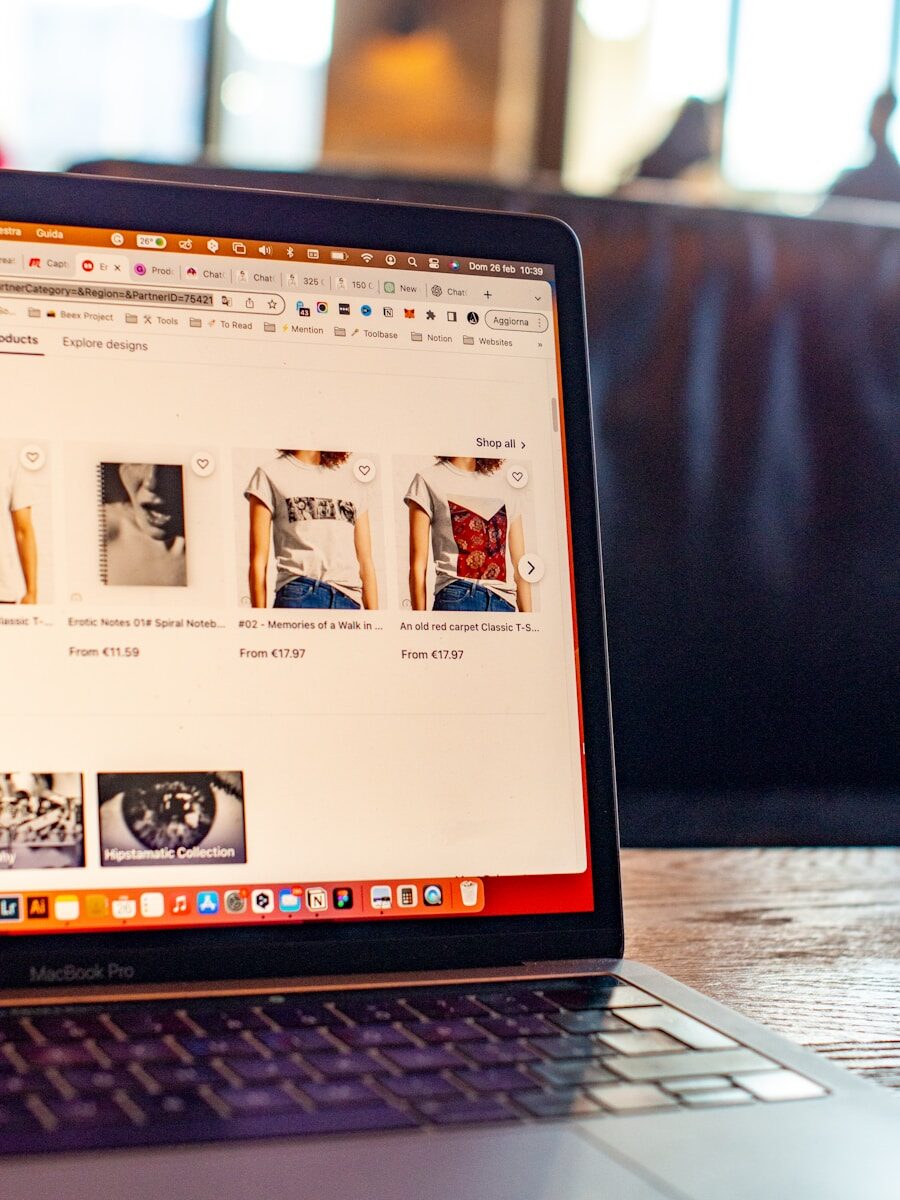
Shopify vs WooCommerce: the honest comparison
Let us make the comparison that is really needed. Comparisons written by those who earn affiliate commission from either of the two platforms circulate on this topic, and they are rarely honest. This is, because we at BAD do not take commissions from either Shopify or WooCommerce - we just assess what works best for the client's brand.
The two platforms solve the same problem - selling online - in a philosophically opposite way.
Shopify and a closed, centralised model. You pay a fee, they manage everything. The source code is not yours. The customer data is on their server. The functionality is what they decide to give you. If you want to customise something outside their system, you have to go through their templating language (Liquid), their API, their rules. It's a protected, ordered, predictable environment. But closed.
WooCommerce and an open, decentralised model. And an open source plugin for WordPress, the content management system that runs over 40% of the world's websites. Install WordPress on your own hosting, install WooCommerce as a plugin, and you have a complete e-commerce. The code is yours, the data is on your server, you can change anything. On the other hand, you are responsible for maintenance, updates, security, backups.
Here is the comparison on what really matters for an emerging fashion brand.
Initial Setup. Shopify clearly wins. With Shopify you open an account, choose a theme, upload products and in three days you can sell. With WooCommerce you have to buy hosting, install WordPress, configure the plugin, choose a theme, set up SSL certificates and security. The realistic setup is two weeks to a month, and you often need a technician.
Basic monthly cost. Shopify starts at 27 euros per month for the Basic plan. WooCommerce costs between 10 and 30 euro per month for hosting - and that's it, the plugin is free. On paper WooCommerce is cheaper. In practice, the real cost depends on the apps and services you add to both platforms.
Site ownership. Here the difference is total. On WooCommerce the site is yours. You can export it, migrate it, duplicate it, store it forever. On Shopify, the site is hosted by Shopify. If Shopify closes your account or changes policies, you don't have a backup that is easily re-exported to an equivalent system. You export products, sure, but everything else - custom themes, configurations, integrations - has to be redone from scratch.
Customisation. WooCommerce wins by a lot. You can change everything from checkout code to product page behaviour, from data structure to email flows. On Shopify the customisation is deep and limited - some things, such as the checkout, can only be changed on the EUR 2,300 per month Plus plan.
SEO. Historically WooCommerce was much stronger, because WordPress is built for SEO. In 2026 Shopify has caught up, but technical limitations remain: less flexible URLs, more rigid breadcrumb and schema markup management, difficulty implementing complex content structures. For a brand aiming for long-term organic traffic, WooCommerce remains at an advantage.
Technical scalability. Shopify wins. When traffic grows, Shopify scales automatically. With WooCommerce, you - or your technician - have to size the hosting, optimise the database, manage the cache. For turnovers of EUR 500,000 and upwards, the technical management of WooCommerce becomes challenging.
Long-term costs. Here comes the point that few emphasise. Shopify has an increasing cost model: the more you sell, the more apps you install, the more the monthly fee goes up. A brand that invoices EUR 500,000 per year on Shopify Advanced, with ten premium apps, a EUR 350 theme and transaction fees, easily spends EUR 800-1,200 per month on the platform. On WooCommerce, the same brand with good hosting and the same plugins spends EUR 200-400 per month.
“The choice of e-commerce platform is not a technical choice. It is a strategic choice about the level of control you want to have over your brand. Whoever chooses a closed platform for speed is implicitly agreeing to pay, over time, the price of that speed.”
- Corrado Manenti, The Stylist's Journey
BAD's verdict, no pun intended: if your goal is to build a serious brand that lasts over time, WooCommerce is almost always the best choice. If your goal is to quickly validate an idea or scale quickly across multiple markets, Shopify has two real use cases. Let's see them.
When Shopify makes sense (really)
I am not here to demonise Shopify. That would be dishonest, and you deserve better. There are two concrete scenarios where Shopify is the smarter choice, at least for one stage of the journey.
The first scenario: the quick MVP to validate the brand.
You have a brand idea. You have done your work on the how to create a clothing brand. You have defined a concept, developed a few prototypes, printed the first photographs. But you are still not sure whether the product will find its audience. You want to test it before investing tens of thousands of euros in the infrastructure.
In this scenario, Shopify is perfect. Open a Basic account for 27 euros a month, choose a free theme like Dawn or a simple paid theme, upload ten products, connect Instagram and TikTok, launch the first campaigns and see if the market responds. In three months you have real data: conversion rate, average order value, customer acquisition cost, real margins.
If the data say that the brand works, then you decide: migrate to WooCommerce with a serious project, with a technician who tailors your site, with total control. If the data say that the brand does not work as you hoped, you have lost a few hundred euros and a few weeks instead of twenty thousand euros in a proprietary infrastructure that you will have to abandon.
This use of Shopify as MVP - minimum viable product - and strategically intelligent. And what we call in consultancy “test & learn”, one of the three levels of investment in the how much does it cost to create a brand.
The second scenario: the multi-country brand with international requirements.
You have a brand that has already validated the Italian market and wants to expand to more countries. Germany, France, UK, USA. Each country has different currencies, different languages, different taxes, different shipping habits. Managing this with WooCommerce requires multi-language plugins, multi-currency plugins, tax integrations for each country, and significant technical expertise.
Shopify, especially from the Grow plan upwards with Shopify Markets, handles all this in an integrated way. Automatic language changes, currency exchange based on geolocation, regional tax management, dynamically calculated shipments. And a system turnkey for those who need to sell in five countries without wanting to take care of the infrastructure.
This is the second case where I would honestly not advise you to complicate your life with WooCommerce. If you go international and don't have a technical team, Shopify - and particularly Shopify Plus for high volumes - is the smarter choice.
In both scenarios, the rule is the same. Shopify is not the ultimate home, it is the right home for a specific phase. Using it with this awareness is strategic. To use it without this awareness, like Luke at the beginning of the article, is to build one's addiction.

When Shopify does NOT make sense
Let us now look at the cases where Shopify is the wrong choice, despite all the marketing that presents it as a universal solution.
If you aim to build a long-term brand that becomes an asset, Shopify and the wrong choice. A serious brand, five or ten years from now, is worth as much as its operational independence. A brand living on Shopify is worth less than an equivalent brand living on its own infrastructure, because the buyer - in the event of a sale - inherits the dependency. Investment funds know this, and discount it in the valuation.
If your strategic goal is organic traffic from Google, Shopify has limitations that you will pay dearly for. SEO on Shopify works, but within a number of technical constraints that don't exist on WooCommerce. More rigid URL structure, difficulty in implementing advanced content structures, limits on managing massive redirects. For a brand that wants to position itself over time with valuable content - guides, editorials, in-depth articles - the WordPress-WooCommerce infrastructure is clearly superior.
If your budget is very limited and you want to minimise recurring costs, Shopify is more expensive in the long run. It seems cheaper in the beginning (27 euros per month against maybe 20-30 euros hosting for WooCommerce), but when you add apps - and you will add at least five apps to have a decent fashion e-commerce - and payment fees, the monthly item goes up. An average brand on Shopify spends between 250 and 600 euros per month. The same brand on WooCommerce spends 100-250.
If you want total control over your customers' data, Shopify is not ideal. The data is yours in a legal sense, but technically it resides on the Shopify infrastructure. Extracting it for advanced analysis, building custom predictive models, integrating it with custom CRM systems requires extra work. On WooCommerce the database is yours, physically, on your server.
If you need very specific integrations with Italian systems - some production management systems, some accounting software, some shipping systems - often the WooCommerce ecosystem, being more open, offers more native or easily developable integrations. Shopify in Italy has a growing but still incomplete coverage on some local systems.
There is a phrase I often repeat in counselling: if you are building a brand to sell it ten years from now to a fund, or to pass it on, or to really own it - Shopify is not your home. And a stage, at most. Not the destination.

The 4 Shopify 2026 plans: choosing without mistakes
In 2026 Shopify offers four main plans for the Italian market, with differences in price and functionality that are worth knowing about before subscribing.
Shopify Basic - 27 euros per month (or EUR 290 per year with annual payment, a discount of approximately 10%). And the entry plan. It gives you everything you need to open an online shop: unlimited products, sales channels (including Instagram, TikTok, Facebook), gift card, basic reporting, Shopify checkout. Commissions on transactions with Shopify Payments are 2-3%, whereas if you use an external gateway (Stripe, PayPal direct) Shopify adds a 2% fee on top of the gateway commissions.
And the right plan for the MVP. And the right plan for those selling up to EUR 100,000-150,000 per year. Beyond that threshold, economies of scale push them to the upper floors.
Shopify Grow - 79 euro per month (formerly Shopify standard). It adds features you need when you start to grow: professional reporting, international sales with Shopify Markets base, five additional user accounts for the team, slightly lower transaction commission rates (2.5% per card on domestic with Shopify Payments, fee of 1% for external gateways).
It is the right plan for brands that invoice between 150,000 and 500,000 euro. The reduction in commissions compensates for the difference in fees, and the extra features start to come in handy.
Shopify Advanced - 299 euro per month. It adds advanced custom reports, dynamic calculation of shipments with carriers, up to fifteen user accounts, advanced multi-currency with Shopify Markets Pro, even lower fees (2.4% with Shopify Payments, 0.5% fee for external gateways).
It is the right plan for brands with a turnover of EUR 500,000 or more and starting to operate in more international markets. At this level the plan costs a lot, but the transaction fees drop enough to compensate if the volume is high.
Shopify Plus - EUR 2,300+ per month. And the enterprise tier. Access to Shopify Scripts for checkout customisation, Shopify Flow for advanced automation, centrally managed multi-store (up to 10 shops), dedicated account manager, negotiable commissions.
And the plan is for brands with a turnover of 2-3 million euro and upwards. If you are not at those volumes, you don't need it. Full stop.
How to choose the right plan at launch. The simple rule is: start with Basic. Basic is almost always more than enough for the first year. When you see that your turnover is growing steadily and that the features of Basic are starting to limit you - usually around 10,000-15,000 euros of monthly turnover - switch to Grow. Don't subscribe to Grow or Advanced from the start just because “it looks more professional”. It would be like getting a racing car to go shopping.

Step-by-step setup: registration, domain, theme
Let's come to the practical part. How to actually open a Shopify shop, without getting lost in the myriad details but without skipping the steps that matter.
1. Account Registration. Go to shopify.com and click “Start free trial”. Shopify offers 3-day full free trial, then 1 euro per month for the first three months on the Basic plan. Enter email, password, shop name. The shop name at this stage is not final - you will change it when you connect the custom domain.
Fill in your company details: name, address, VAT number. The Italian VAT number is required if you want to use Shopify Payments and if you want to issue invoices for the sale of physical products in Italy. You cannot legally operate an e-commerce business without a VAT number: Shopify doesn't technically prevent you from doing so, but the Internal Revenue Service does. This is not an opinion, it's law.
2. The choice of theme. Shopify offers you the Dawn theme by default, free and clean. It's a great place to start. If you want something richer or more fashion-specific, explore the Theme Store - we discuss this in detail in the next section.
For the launch, I advise you to start with a free theme, work on content and products, and only consider buying a premium theme when you have already made a few months of sales and know what you really need. The typical mistake is to spend EUR 350 on a premium theme before you even know if the brand works.
3. The custom domain. Shopify assigns you a temporary domain of the type brandname.myshopify.com. This is not the ultimate domain - no serious brand sells on a Shopify subdomain. You have to buy a custom domain, like nomebrand.co.uk o nomebrand.com.
You can buy it directly from Shopify (about 15 euros per year for .com, slightly more for .it) or from external registrars such as Namecheap, OVH, Aruba, Register.it. The practical difference is minimal: if you buy it on Shopify, the configuration is automatic. If you buy it outside, you have to point the DNS to Shopify - a simple operation but one that takes fifteen minutes and a careful reading of the guide.
Which extension to choose. For an Italian brand aiming mainly at the domestic market, the .en and a strong choice: it communicates Italianity and has a better ranking in local searches. For a brand that aims at internationalisation, the .com and the standard choice. You can also buy both and redirect from one to the other.
4. The basic configuration. Before uploading products, configure the basics in the Settings panel:
- Shop currency (euro)
- Time zone (Italy - Europe/Rome)
- Date formats (dd/mm/yyyyy)
- Unit of measurement (metric, kg by weight)
- Taxes (active VAT at 22% on Italy, Shopify Markets configuration for EU sales)
These initial configurations seem like details, but changing them after loading hundreds of products is much more complicated than getting them right straight away.

Shopify themes for fashion brands: the best in 2026
The theme and skin of your shop. The wrong theme means presenting yourself to the customer in an outfit that does not fit. The right theme, on the contrary, raises the perception of brand value before the customer even reads a word of copy.
I present the themes we see working best in 2026 for Italian fashion brands, divided between free and paid.
Quality free themes
Dawn and Shopify's default theme from 2021. Clean, minimal, high-performance. Great for brands with minimal aesthetics, ideal for capsule launches with few products and strong photos. Quick to load, mobile-friendly, well structured for SEO. For many emerging brands Dawn is more than enough for the first year.
Craft and great for artisan brands, with a warmer aesthetic and an emphasis on storytelling. It has native sections to tell the story of the brand, the origin of the materials, the production process.
Sense and designed for beauty and lifestyle products, but also works well for fashion accessories. It has a strong focus on visual elements and the impact of the individual product.
Studio and great for brands that want an editorial, magazine-like aesthetic. Very elegant, it lends itself well to contemporary women's fashion brands.
Premium themes (one-off, USD 180-400)
Prestige (Maestrooo, approx. USD 380) is probably the most popular premium theme for mid-to-high-end fashion brands. Elegant, with great attention to typographic details, with native sections for collections, editorials, storytelling. It is the theme we see used by many emerging brands who want to present themselves with a premium aesthetic right from the start.
Impulse (Archetype Themes, approx. USD 320) and particularly strong for brands with large and varied catalogues. Good variant management, integrated cross-sell and upsell sections, advanced filtering options.
Motion (Archetype Themes, approx. USD 320) has a focus on movement and animation. It works well for streetwear, sportswear or brands that want a dynamic and contemporary aesthetic.
Empire (Pixel Union, approx. 320 USD) is designed for large catalogues with many categories and many variants. It works well for brands that sell in several countries and need structured navigation.
Focal and a newer option with an editorial aesthetic, perfect for sophisticated women's fashion brands and curated capsule collections.
How to choose the right theme for you. The rule I always give in counselling: choose the theme that serves your brand, not the one you like aesthetically. A streetwear brand on a high-end theme communicates confusion. A high-end fashion brand on too young a theme loses authority.
Start with your Brand Code - the 30-40 page strategy document we build in the first six consulting sessions. The theme must be consistent with your brand identity, not a choice made on personal taste.
How to load the fashion catalogue: variants, inventory, metafield
The catalogue is the heart of your shop. A well-constructed catalogue sells much more than a catalogue full of errors, low-quality photos and copied descriptions. For a fashion brand, uploading products means working on three dimensions: information, images, organisation.
The basic information of each product. For each item you must enter:
- Product title (SEO-optimised, max. 70 characters)
- Description (copy selling, not list of features)
- Images (minimum 4-5 per product, all in high resolution)
- Price
- SKU code (unique for each variant)
- Weight (essential for calculated shipments)
- Category / collection
Variant Management. For a fashion brand, variants are the critical point. A garment typically has two variant dimensions: size e colour. On Shopify Basic you manage up to 100 variants per product, with up to 3 dimensions (size, colour, material for example).
Here is how to structure them correctly. The “mother” product is “Organic Cotton Oversize Sweatshirt”. The variants are:
- Black - S, M, L, XL
- White - S, M, L, XL
- Military green - S, M, L, XL
Each variant has its own SKU (example: FLP-OVS-NER-M), its own independent inventory, and its own linked image. When the customer selects “military green”, he automatically sees photos of the military green version.
Inventory Management. Shopify manages inventory automatically: when a customer buys a black M-size, that variant goes one piece out of stock. When you reach zero, you can decide whether to show “out of stock”, allow pre-orders, or hide the variant.
Crucial for fashion brands: activate “back in stock” notifications. Customers who find their size sold out can sign up to be notified when they are restocked. This is done with an app like Klaviyo o Restock Rocket (more on this in the app section).
Metafields: the invisible advantage. Metafields are customised fields that you add to the product for structured information: fabric composition, washing instructions, country of manufacture, model size in photos, actual garment measurements. They are essential for a serious fashion brand, because the fashion customer in 2026 wants this information - and Google rewards it.
Metafields are configured in Settings > Custom Metadata, and then displayed in the product sheets through theme modifications. It is a technical job, but it makes the difference between an amateur and a professional catalogue.
The Collection Pyramid applied to the catalogue. When building the catalogue on Shopify, always apply the principle of the Collection Pyramid we use in BAD: the 10% of products and the Aspirational Product - the most expensive, most scenic garment that communicates the most of your creative vision. The 70% and the Massive Impact - the garments that make turnover, versatile, with the right prices. The 20% and Low Budget - entry points for new customers, accessories, high margin garments on low prices.
On Shopify, you can create three collection separate “collections” in the panel) that reflect this structure. Organising the catalogue this way is not just a matter of aesthetics: it guides the customer along a value path that increases your average turnover per order.

Checkout and payments: Shopify Payments, Stripe, PayPal
Checkout is the moment of truth. You can have the best product, the best photos, the most qualified traffic - if the checkout goes wrong, you lose the customer right at the finish line. For a fashion brand, setting up payments well is one of the most impactful operational decisions.
Shopify Payments: the native choice
Shopify Payments is Shopify's in-house payment system, powered by Stripe. It will be available in Italy from 2019 and accepts Visa, Mastercard, American Express, Apple Pay, Google Pay and Shop Pay cards.
Advantages: full integration with Shopify, no extra fee from Shopify on transactions (whereas with external gateways Shopify adds a fee of 0.5-2%), accelerated checkout with Shop Pay, integrated chargeback and dispute management.
Shopify Payments Italia 2026 commissions:
- European cards: 1.9% + 0.25 euro per transaction (Basic plan)
- European cards: 1.7% + 0.25 euro (Grow plan)
- European cards: 1.5% + 0.25 euro (Advanced plan)
- Extra-European cards: +1.5% above normal rates
They are among the most competitive commissions on the Italian market. If you operate in Italy and are eligible for Shopify Payments (active VAT number, Italian bank account compliance), and almost always the best choice.
Stripe as an alternative or complement
Stripe is the leading global gateway for online payments. It has commissions comparable to Shopify Payments (1.5% + 0.25 euro for European cards) and a broader ecosystem of functionalities: subscriptions, automatic invoicing, multi-marketplace management. In Italy, it is the reference choice for brands that also make B2B sales or have complex payment flows.
If you use Stripe instead of Shopify Payments, Shopify charges you the additional fee of 0.5-2% depending on the plan. This makes Stripe less convenient as your primary gateway unless Shopify Payments is not available for your business (certain sectors are blocked, certain very new VAT cases are rejected).
PayPal: the missing acceptance
PayPal in Italy is still widely used, especially by 35+ customers. About 25-30% of Italian fashion customers prefer PayPal as a payment method, and not having it means lost conversions.
The good news: you can activate PayPal together to Shopify Payments. The customer chooses at checkout. PayPal Italy commissions are slightly higher (2.4-3.4% + 0.35 euro), but the addition increases the conversion rate by 10-15% on average on fashion brands.
Other methods to be considered in 2026:
- Klarna (payment in 3 interest-free instalments): very popular with GenZ, increases conversions but has a fee of 2-3%
- Satispay: typically Italian, useful for very local brands
- Apple Pay / Google Pay: native in Shopify Payments, increase mobile conversion by 20-30%
The optimal configuration for an Italian fashion brand: Shopify Payments as the main gateway (covers 70% of payments), PayPal as an alternative (covers 25%), Klarna for young people (covers 5%). This combination maximises conversion without multiplying the operational complexity.
Shipping: Italy, EU, world profiles
Shipping is the other big variable impacting conversion. Shipping prices that are too high make shopping carts drop out. Prices that are too low erode margins. Shipping times that are too long make you lose credibility. Let's see how to configure shipping well on Shopify.
Shipping profiles. Shopify allows you to define several profiles, each with different rules per geographical area. For an Italian brand, I recommend structuring them like this.
Free shipping: the conversion lever
Free shipping above a threshold is one of the most powerful conversion levers for a fashion brand. The rule of thumb: threshold = average order value + 20-30%. If your average order value is 80 euro, set the threshold at 100-110 euro. This prompts the customer to add an item to reach the threshold, raising the average order value.
Shipping calculated in real time. In the Advanced and Plus plans you can integrate dynamic calculation with carriers: Shopify asks the courier in real time for the exact price based on weight, size, destination, and shows it to the customer at checkout. And useful for complex international shipments, less necessary for Italy where rates are fairly stable.
Returns. For a fashion brand, returns are structural. Shopify has a “Managed Returns” function that allows customers to request returns directly from their account. Configure the return policy (typically 14-30 days, condition of the garment, who pays for return shipping) and integrate it in the footer.
A strategic considerationon returns do not skimp. An Italian fashion brand in 2026 that does not offer at least 14 days free returns loses conversions. The return cost is a marketing cost, not an operating cost.
The essential apps for a fashion brand
The app ecosystem is one of Shopify's strengths. But it's also one of the traps: you install ten apps, you end up paying €400 a month in subscriptions, and half of them you don't really use. Here are the apps we see actually working for Italian fashion brands in 2026, organised by function.
Size chart (size guide). Kiwi Size Chart (free up to a certain amount, then 6-25 USD/month) or Size Guide Pro. Fashion essentials: show the customer how to choose the right size, reduce the return rate by 20-40%.
Reviews (customer reviews). Judge.me (from 15 USD/month) and the industry standard. It allows you to collect reviews with photos, manage them, and display them professionally. Customer photo reviews increase conversion by 25-35%.
Wishlist. Smart Wishlist o Wishlist Plus (from 5-15 USD/month). Allows visitors to save products to buy them later. Essential for fashion, because the purchase decision cycle is often long.
Upsell and cross-sell. ReConvert (from USD 7/month) or Zipify OCU (USD 35/month). They show complementary products at checkout and in post-purchase. They increase the average order value by 10-20%.
Email marketing. Klaviyo (free up to 250 contacts, then from USD 20/month) and the absolute standard for fashion e-commerce. It handles welcome, abandoned cart, post-purchase, reactivation. A brand making EUR 500,000 a year produces on average 20-30% of total turnover from email alone with Klaviyo.
SMS marketing. Postscript o Attentive. SMS have open rates of 90%+ versus 20-25% for email. For product launches or limited edition drops, SMS performs impressively.
Popup and lead capture. Privy (from 20 USD/month) or native Klaviyo functions. They collect emails from visitors with welcome offers (10-15% discount). Essential for building the email list.
Productivity and order management. Order Printer Pro to print customised invoices. Shippo o Sendcloud for integrating multi-carrier shipments with automatic labels.
Italian accounting. We discuss this in the dedicated section, but the key category is electronic invoicing.
The realistic app budget for a serious fashion brand80-200 euro per month on Shopify Basic, 150-350 euro per month on Shopify Grow upwards. This is not insignificant.
The rule of appsonly install a new one if it answers a concrete problem you are facing now. Don't accumulate apps “just in case”. Each app is a monthly cost and a compatibility risk.
Shopify SEO: what works and what doesn't
SEO on Shopify works, but with limitations that are worth knowing before planning the content strategy.
What Shopify handles well. Basic meta tag structure (title, description), automatic generation of XML sitemap, canonical management, basic robots.txt, automatic SSL certificate, average upload speed (Shopify has global data centres with integrated CDN). For the technical basics of SEO, Shopify does the job.
The SEO limitations of Shopify. Here come the sore points.
Rigid URL structure. Shopify forces you to use structures such as /collections/collection-name/ e /products/product-name/. You cannot modify them. You cannot have customised URLs such as /chiefs-woman/ sweatshirt-oversize/. For brands that want a different information structure, it is a significant limitation.
Limited management of massive redirects. If you migrate from another e-commerce and have thousands of URLs to redirect, Shopify requires CSV file uploads with limits, and management is more cumbersome than WooCommerce with dedicated plugins.
Breadcrumbs and schema markup. Some themes handle them, others do not. The product scheme is often partial. To have an advanced scheme, you need to modify the theme or install dedicated apps.
Limited blog. Shopify's blog function exists but is much more primitive than WordPress. For brands that focus on serious content marketing - style guides, editorials, SEO articles - the limitation is felt.
SEO strategy that works on Shopify. Despite the limitations, a fashion brand on Shopify can position itself well if it follows certain principles.
Work on product pages. Each product must have: optimised title (brand + type + feature), rich description (minimum 200 words, with natural keywords), images with descriptive alt text, metafield for structured information, customer reviews.
Build page collections with content. Instead of having an empty collection page listing only products, add 300-500 words of introductory copy explaining the collection, the concept, the materials. This makes the page relevant for thematic searches.
Use the blog despite limitations. Long articles (1,500+ words), well structured with H2 and H3, with internal links to relevant product pages. The Shopify blog works quite well if the content is of quality.
Strategic content marketing. For a fashion brand, winning SEO in 2026 comes through style guides (“how to match an oversized shirt”), editorials on trends, and valuable content that attracts informational traffic and converts it into sales traffic. To learn more about this strategy, read selling clothing online.
When SEO on Shopify becomes a serious problem. If your growth strategy is based at 60-70% on Google organic traffic, Shopify's limitations risk hampering you in the long run. At that point, evaluating the migration to WooCommerce is no longer a matter of preference - it is a matter of business.
Italian tax and electronic invoicing
This is the paragraph that many articles on Shopify in Italian skip. Yet it is one of the points where, in Italy, the most expensive mistakes are made.
VAT. In Italy you have to apply VAT 22% on almost all fashion products (there are some minor exceptions). Shopify handles VAT automatically: you configure your VAT number, set the Italian tax regime, and VAT is calculated correctly on every order.
EU Intra-Community Sales. As of 2021, the One Stop Shop (OSS) scheme for cross-border e-commerce sales in the EU is in effect. Shopify Markets handles this automatically in the Grow up plan: it recognises the customer's country, applies that country's VAT if you exceed the thresholds, and gives you reports for the quarterly OSS declaration.
Electronic Invoicing (FatturaPA). Here is the critical point. In Italy, from 2019, every B2B and B2C invoice must be issued in XML format and sent via SdI (Sistema di Interscambio). Shopify does not natively have Italian electronic invoicing. You have to integrate it.
Practical solutions in 2026:
Dedicated Apps for Shopify. Invoicepa for Shopify, E-Invoice Italy, Easyfatt Integration. They cost between EUR 15 and 50 per month and automatically generate the electronic invoice for each order, send it to the SdI, and manage electronic receipts for B2C sales.
Integrated external management. Cloud Invoices, Easyfatt, Aruba Billing. They integrate with Shopify via API or Zapier. And the choice of brands that already have an accountant used to these tools. Costs: 10-30 euro per month.
Accountant + manual entry. For very low volumes (10-30 orders per month) you can still get by with the accountant invoicing manually. Above that threshold it is no longer sustainable.
The right choice for a brand that starts: dedicated app like Fatturapa for Shopify, integrated from day one. Save months of confusion and mistakes with the Inland Revenue.
Electronic fees. For B2C sales (to private customers without a VAT number), telematic storage and transmission of receipts is mandatory from 2022. The apps mentioned above also handle this.
A practical recommendation: talk to your accountant before opening the Shopify shop. Configuring Shopify correctly on the wrong tax regime costs much more than configuring it right from the start. The accountant tells you whether you have to be on the flat-rate regime, the ordinary regime, which thresholds you have to monitor, which invoicing tool to integrate.
Shopify marketing: email, SMS, popups, abandoned carts
E-commerce without marketing is a shop in the middle of the desert. For a fashion brand, integrated marketing on Shopify is the real driver of turnover. Let's look at the streams that generate the most return.
Email Marketing. As I said, a brand that operates well produces 20% to 35% of total turnover from email alone. The essential flows to be configured in Klaviyo (or equivalent tools):
1. Welcome series. When someone subscribes to the newsletter, they receive a sequence of 3-5 emails in the first 14 days: welcome with discount 10%, brand history, best seller, aspirational product, second call to action. Typical conversion rate of this series: 15-25% of new subscribers buy within 30 days.
2. Abandoned cart. When someone adds products to the cart but does not complete the order, a sequence of 2-3 e-mails starts over the next 48 hours: reminders, social proof (reviews), possibly a limited discount. It typically retrieves the 10-20% of abandoned shopping carts.
3. Abandoned browse. When someone visits product pages without adding to the shopping cart, a reminder email is sent about the products viewed. Less performing than the abandoned shopping cart but with zero marginal cost.
4. Post-purchase. After purchase a sequence starts: order confirmation, care instructions, review request after 14 days, cross-sell offer after 30 days, reactivation after 90 days.
5. Win-back. Inactive customers of 120+ days receive special offers to return. Retrieve the 5-10% from the dormant base.
SMS Marketing. On Shopify with Postscript or Attentive, configure SMS for: order confirmation, batch shipping, new collection drops, sales. SMS have open rates of 95%+ and are disruptive for launches. Cost: approx. 0.04-0.06 Euro per SMS.
Popups. The “sign up and receive -10%” popup typically generates an email list of 2-4% of visitors. For a brand making 20,000 visits per month, that is 400-800 new contacts per month. Configuration with Privy or Klaviyo.
Advertising remarketing. Shopify natively integrates with Meta (Facebook/Instagram), Google Ads, TikTok, Pinterest. Set up tracking pixels from day 1, even if you don't have active campaigns yet. You need them to build remarketing audiences over time.
Integration with social commerce. Link the shop to Instagram Shop, Facebook Shop, TikTok Shop. We discuss this in more detail in the next section.
Integration with TikTok Shop, Instagram, Facebook, Pinterest
Social media are no longer pure marketing channels. They are direct sales channels. In 2026, a fashion brand that does not integrate social commerce is leaving turnover on the table.
TikTok Shop. Launched in Italy in March 2025, TikTok Shop is the fastest growing channel in Italian fashion. In 2025, TikTok Shop exceeded $66 billion in global GMV, with +120% year-on-year. Italian users spend an average of 58 minutes a day on the app, and 80% claim to have been inspired to make a purchase while scrolling.
On Shopify, the integration with TikTok Shop is native: install the official app, link the catalogue, and the products become purchasable directly within TikTok, in videos and live streams. The TikTok commission is 5% per transaction. For a full operational overview, read TikTok Shop.
Instagram Shop. The integration with Instagram makes it possible to tag products in posts and stories, directly from the Shopify catalogue. The customer clicks on the tag, sees the product, buys without leaving the app. In 2024, Meta reduced the weight of Instagram Shop by pushing DMs and traffic to external sites, but in 2026 Shopify will still be an important lever.
Facebook Shop. Similar to Instagram Shop, but with a 35+ audience. For contemporary women's fashion brands it is still relevant.
Pinterest. Often underestimated, Pinterest is a visual search engine that performs well in fashion. Pinterest users have 45% higher purchase intent than other social media. Integration with Shopify allows the catalogue to be uploaded as purchasable rich pins.
The integrated strategy. Do not activate all channels at the same time. The winning strategy is:
- Master Instagram first (fashion brand basics)
- Activate TikTok Shop if your brand is TikTok-friendly
- Integrate Pinterest as a long-tail search channel
- Use Facebook Shop only if your target group is 35+
How these channels connect to your Shopify. From the Shopify admin, go to “Sales channels” and add each one. Catalogue synchronisation is automatic: when you change a product on Shopify, it updates on all connected channels. Orders all flow into the same Shopify panel, simplifying logistics.
The exit strategy: when and how to migrate from Shopify to WooCommerce
This is the paragraph Shopify does not want you to read. But it is the most important paragraph if you follow the BAD strategy.
The golden rule I always repeat: if you choose Shopify, you also choose when to leave. There is no shame in migrating. On the contrary, it is a natural step in the life cycle of a serious brand.
Signs that it is time to migrate
Signal 1: turnover has reached a stable. If the brand consistently invoices between 15,000 and 30,000 euros per month, you have validated the product, you have validated the target, you have validated the model. The test is over. Now it is the turn of the final house.
Signal 2: monthly Shopify costs exceed EUR 300-400. When you are on Advanced with several premium apps, the monthly Shopify costs become significant. The same setup on WooCommerce costs half as much.
Signal 3: you have technical limitations that frustrate you. You want to customise the checkout, you want an advanced blog with a complex structure, you want custom integrations with your management system - and Shopify won't let you do that without switching to Plus.
Signal 4: You are planning an exit or an investor. If there is a possibility of selling the brand or bringing in an investor in the next 2-3 years, the proprietary infrastructure increases the valuation.
How to migrate technically
Step 1: Analysis and preparation (2-4 weeks). Inventory of products, customers, orders, content pages, integrations. Choice of WordPress hosting (recommended: SiteGround, Kinsta, WP Engine for serious brands). Choice of WooCommerce theme.
Step 2: Setting up the new site (4-8 weeks). WordPress installation, WooCommerce, theme, essential plugins. Configuration of product taxonomies, categories, variants. Development or adaptation of content pages.
Step 3: Data migration (1-2 weeks). Export from Shopify of products (CSV), customers (CSV), orders. Import into WooCommerce via dedicated plugins (WP All Import, Cart2Cart). Mapping of custom fields.
Step 4: SEO migration (1-2 weeks). Export all Shopify URLs, create 301 redirect map to new WooCommerce URLs. This is the most delicate point: a mistake here resets the previous SEO work to zero.
Phase 5: go-live and monitoring (first critical week). DNS switch from old to new hosting. Monitoring of traffic, errors, conversions. Technical support available 24 hours a day to resolve any breakdowns.
The realistic budget of a serious migration8,000-20,000 euro for a project done right, with a senior developer, designer, SEO consultant, project manager. And an investment, but you recover those costs in 12-24 months just by saving on Shopify fees, not counting the strategic value.
The mistake to avoiddo-it-yourself migration with 50 euro plugins. You save EUR 10,000 in budget and lose 30% of SEO traffic and 20% of conversions in the first three months. Not worth it.
The real monthly costs of a fashion e-commerce on Shopify
Let's do the real maths, not the ones in the Shopify brochure. Here's what a serious fashion brand really pays per month on Shopify in 2026.
Scenario 1: Brand in MVP phase (first year, turnover 0-5,000 euro/month)
- Shopify Basic: 27 euro
- Domain: 1.25 euro (15 euro/year divided by 12)
- Free theme: 0 euro
- Essential apps (Judge.me reviews, Klaviyo email free tier, Size chart free): 15-30 euro
- Electronic invoicing: 15 euro
- Shopify Payments fees (on EUR 3,000/month turnover): EUR 60 (2%)
- Monthly total: 120-135 euro
Scenario 2: Growing brand (second year, turnover EUR 15,000-30,000/month)
- Shopify Basic or Grow: 27-79 euro
- Domain: 1.25 euro
- One-off premium theme: amortised over 24 months, approximately 15 euros
- Extended essential apps (Klaviyo paid, Judge.me, Size chart pro, Wishlist, ReConvert upsell, Privy popup, Postscript SMS): 150-250 euro
- Electronic invoicing + management integration: 30-50 euro
- Shopify Payments fees (on 22,000 EUR/month): 440 EUR (2%)
- PayPal fees on payment quota: 60-80 euro
- Monthly total: 720-920 euro
Scenario 3: Scaled-up brand (third year up, turnover 50,000+ euro/month)
- Shopify Advanced: 299 euro
- Domain: 1.25 euro
- Premium theme + customisation: 30-50 euro (amortised)
- Full premium apps: 300-500 euro
- Electronic invoicing + full management: 80-150 euro
- Shopify Payments fees (on EUR 60,000): EUR 1,200 (2%)
- PayPal + Klarna fees: 150-250 euro
- Outsourced email marketing agency: EUR 500-1,500
- Monthly total: 2,560-3,950 euro
The lesson in numbers. The more you grow, the more expensive Shopify becomes in absolute terms, but also as a percentage of turnover. In scenario 1, Shopify costs 3-4% of turnover. In scenario 3, Shopify costs 5-7% of turnover. These are margins that, on brands with already stretched margins, make the difference between profit and breakeven.
On WooCommerce, the same brand in scenario 3 would pay between EUR 1,200 and 1,800 per month - about 50% less.
“Every platform has a visible cost and a hidden cost. The visible cost is the monthly fee. The hidden cost is the increasing percentage of revenue the platform takes as you grow. Ignoring the hidden cost is one of the most common financial mistakes among emerging brands.”
- Corrado Manenti, The Stylist's Journey
The most common mistakes made by Italian brands on Shopify
After having seen hundreds of Shopify shops of Italian brands, the recurring mistakes are always the same. Knowing them in advance allows you to avoid them without having to pay for them yourself.
Error 1: Opening Shopify without having finished the Brand Code. The Shopify shop should be the consequence of strategic choices already made, not the place where you find out who you are. Brands that open Shopify without Brand Code have generic product descriptions, stylistically inconsistent photos, random pricing, blurred brand promises. The result: zero conversions and the feeling that “the site doesn't work”. The site works. And the brand doesn't.
Mistake 2: buying ten apps in the first month. The Shopify App Store panel is designed to get you to install apps. Each app promises to solve a problem you may not have yet. Brands that have installed twelve apps in the first month end up with 400 euros in monthly fees before they have sold a piece. The rule: only install apps that address a concrete problem you are facing now.
Error 3: amateur product photos. The fashion customer in 2026 judges the brand in three seconds, and the judgement is made on photos. Photos taken with a smartphone on the table at home, creased white background, rough natural lighting - all this communicates “I am unprofessional”. And a brand perceived as unprofessional does not convert, regardless of the actual quality of the product. The photo budget is an investment, not a cost.
Error 4: Do not configure tracking pixels from day 1. Meta pixel, Google Analytics 4, TikTok pixel, Pinterest tag. They should be installed before launching, even if you are not actively campaigning in the first few months. They serve to build remarketing audiences over time. Installing them after six months means you have lost six months of valuable data.
Mistake 5: ignoring the mobile experience. 70-80% of the traffic of a fashion e-commerce comes from mobile. Many brands test the site only on desktop, where everything seems to work. Then they look at the mobile conversion rate and find that it is 1/3 of what it is on desktop. The theme, the photos, the forms, the checkout - everything has to be tested obsessively on smartphones.
Error 6: Shipping too expensive. Shopify leaves the choice of shipping rates to you. Brands that set “safe” rates (so as not to make a loss) with 9-12 euro shipping under 100 euro orders lose 20-30% of conversions compared to competitors who offer free shipping above a reasonable threshold. Shipping is a marketing cost.
Error 7: restrictive return policy. “Returns at customer's expense within 7 days, only with undamaged labels.” Brands that write like that on their website communicate mistrust towards the customer. The fashion customer who buys online needs security: 14-30 days, free returns, simple process. The perceived cost of return is zero; the cost of not buying because of fear of return is enormous.
Error 8: No live chat or pre-sales support. A customer who has a doubt before buying is a customer who often does not buy. Installing a live chat (Tidio, Gorgias, even WhatsApp Business integrated) is one of the fastest ways to raise conversion. Reply within 15 minutes = conversion +25-40%.
Mistake 9: Don't test the checkout yourself. You do the entire purchasing process yourself, with your card, from the catalogue to receipt of the product. Every three to six months. You discover something that doesn't work each time: a bug in the email, an error in the invoice, a shipping problem. Customers don't tell you, they simply abandon.
Mistake 10: treating Shopify as if it were forever. The biggest strategic mistake. Brands that invest EUR 30,000 in deeply Shopify-specific customisation, elaborate Liquid customisation, expensive app integrations - and then find that migrating becomes prohibitively expensive. Every euro invested in Shopify-specific customisation increases the cost of exit. Always think before you spend.
Work before site: what must already exist
A mistake I see all the time in consulting: guys coming in with the question “Corrado, do I open Shopify or WooCommerce?” - and I answer with another question. “Do you already have Brand Code? Have you already done the Fashion Business Designer Canvas? Do you have professional product photos? Are your targets clear?”
Almost always the answer is no. And the choice of platform becomes premature.
Before Shopify, before WooCommerce, before any site, these foundations must exist.
The Complete Brand Code. The 30-40 page document that defines: who you are, who you are for, what you promise, what sets you apart, your aesthetic, your tone of voice, your values, your positioning. Without Brand Code, every page of your site will be confusing, because you don't know what to say.
The completed Fashion Business Designer Canvas. The nine boxes of the Canvas - target, value proposition, channels, customer relations, revenue stream, resources, activities, partners, cost structure - must be aligned. If the boxes do not talk to each other, the site cannot be coherent.
The Collection Pyramid defined. You already know what your Aspirational Product is. You already know what your Massive Impact is. You already know what your Low Budget entry point is. Without Collection Pyramid, the catalogue is a hodgepodge of objects without valuable architecture.
Strategic Pricing. Not decided by eye. Calculated on real costs, with the right mark-ups (x2.5-3.5 from wholesale to retail), with a logic of positioning against competitors.
Professional product photos. Shot by a fashion photographer (not a friend), with model (not mannequin), in a context consistent with the brand. Minimum budget for a professional shoot: 2,000-5,000 euro for a capsule of 8-12 pieces.
Copy and tone of voice. Product descriptions, “about us”, “shipping”, “returns” pages. Written consistently, with the tone of voice defined in the Brand Code.
Back-end operational processes. Who handles the orders? Who prepares the parcels? Who answers customer emails? Who issues invoices? Before opening the site, you must have clear answers to these questions. A site that sells without an organised back-end produces more problems than turnover.
When all these foundations exist, the choice between Shopify and WooCommerce becomes an easy technical detail to solve. When they do not exist, that same choice becomes a puzzle without a solution - because the solution is not in the platform, but in the missing foundations.
The Be A Designer method: choosing the platform
After more than 200 brands accompanied in their first years, we systematised our approach to choosing an e-commerce platform in three steps.
Phase 1: the validated launch (first 6-12 months). Shopify Basic, free Dawn-type theme, essential configuration, total focus on product and target validation. Low platform budget, fast learning, maximum flexibility to change ideas. Monthly all-inclusive cost: 120-200 euro.
Phase 2: consolidation (12-24 months). If the validation has worked and the brand invoices steadily above 10,000 euros per month, two choices are possible. Continue on Shopify with Grow and a well-chosen premium theme (for brands looking for speed and simplicity), or already plan to migrate to WooCommerce (for brands aiming for total control). This decision is made by looking at real data and the long-term view.
Phase 3: the final home (from the 24th month onwards). WooCommerce with dedicated infrastructure, custom or adapted theme, deep integration with management, ERP, CRM. Lowest monthly cost as a percentage of turnover, total control, unlimited scalability.
The principle that guides everythingEach phase has its right house. Using the wrong house in the wrong phase always costs money. Either it costs in money, or it costs in time, or it costs in lost opportunities.
The choice of e-commerce platform is just one of many strategic decisions a founder has to make in the early years. As with the capsule collection, for the print on demand, for content strategy - each individual choice only works if it fits within an overall strategy. This is what our method is all about: not solving one problem at a time, but building a coherent system.
The Fashion Business Designer Canvas - the tool I developed at the Politecnico di Bergamo - dedicates a specific box to the sales channel, precisely because this choice must be integrated with targeting, positioning, pricing, distribution. It is not a technical detail. It is a choice that defines the very nature of the brand.
FAQ: the questions I receive most often on Shopify
How much does it really cost to open a Shopify shop in Italy in 2026?
The real minimum cost to start in earnest is 120-150 euro per month all inclusive (basic plan, domain, essential apps, electronic invoicing). For a well-structured fashion brand in the growth phase, the real monthly costs are EUR 500-900. Costs increase with turnover due to transaction fees.
Shopify and Italian?
Shopify is a Canadian company. The platform is available in Italian, with Italian support, payment in euros and integration with Italian payment methods. But it is not an Italian product. For some specific Italian requirements - electronic invoicing, payment management, integration with Italian tax systems - third-party apps or plugins are needed.
What is the best Shopify plan to start with?
Shopify Basic at €27 per month is the right choice for the 90% of brands at launch. Upgrading to Grow or Advanced right away is almost always a waste. Upgrade when you see that turnover is growing steadily and the features of Basic are limiting you operationally.
Should Shopify or WooCommerce be used for a fashion brand?
It depends on the phase. For a quick MVP or initial validation, Shopify is the most practical choice. For a long-term brand aiming at ownership of its digital asset, WooCommerce is almost always superior. The honest answer is: Shopify to start, WooCommerce to stay.
Do I need a VAT number to open a Shopify shop?
Yes. Not technically - Shopify doesn't force you to have it to open the account - but fiscally yes. In Italy, you have to have a VAT number to sell physical products on an ongoing basis. Without it, the Internal Revenue Service sanctions you when they notice you.
Does Shopify handle Italian electronic invoicing?
Not natively. You have to integrate a dedicated app (Fatturapa for Shopify, E-Invoice Italy, or similar) or connect an external management system (Fatture in Cloud, Easyfatt). The additional cost is 15-50 euro per month, but it is necessary.
What are the best Shopify themes for fashion?
Among the free ones: Dawn, Craft, Sense, Studio. Among the premium ones: Prestige (the most popular in fashion), Impulse, Motion, Empire, Focal. The choice should be made on the basis of brand aesthetics, not price.
Is Shopify Payments available in Italy?
Yes, from 2019. And available for businesses with an active Italian VAT number, Italian bank account and certain compliance requirements. Commissions start at 1.9% + 0.25 euro per transaction on the Basic plan and go down to 1.5% on the Advanced.
How long does it take to set up a functioning Shopify shop?
Technically you can have an online shop in 2-3 days. To have a truly ready-to-launch shop - with well-loaded products, professional photos, tax configurations, essential apps, basic email flows, social integrations - realistically takes 4-8 weeks.
Is Shopify safe for my customers' data?
Yes. Shopify is PCI DSS Level 1 certified, manages data with enterprise standards, has automatic backups. From a technical security point of view, it is one of the most reliable platforms on the market. The “security” issue we are talking about in this article is not technical - it is strategic: it concerns vendor dependency, not data protection.
Can I migrate from Shopify to WooCommerce without losing data?
Yes, if the migration is done well. Products, customers and orders are exported from Shopify and imported into WooCommerce with dedicated plugins. The trickiest part is the SEO redirects: all the old URLs must be redirected to the new ones in order not to lose organic positioning. Realistic budget for a professional migration: 8,000-20,000 euros.
Does Shopify work for selling abroad?
Yes, very good. With Shopify Markets (available from Grow up) you can manage multiple languages, multiple currencies, taxes per country, international shipping. And one of Shopify's strengths over WooCommerce, which requires more plugins and more technical configuration for the same result.
A conversation, not an estimate
If you have come this far, you are probably thinking concretely about opening your own online shop. Maybe you already have a brand in mind, maybe you already have some prototypes, maybe you are still pondering whether Shopify or WooCommerce is the right choice for you.
Let me tell you something that I often repeat in consultations. The choice of e-commerce platform is not the first strategic decision to be made. It comes after many other choices that define the nature of the brand: the target, the positioning, the aesthetic identity, the business model, the Collection Pyramid.
If you still lack clarity on these fundamental choices, opening Shopify or WooCommerce will not save you. It will only give you a shelf to put products you haven't yet thought through properly.
At Be A Designer, we work every day with aspiring designers who have great ideas but lack a system. Our method always starts from the Brand Code - the 30-40 page strategy document that we produce in the first six consulting sessions. After the Brand Code comes the Collection Pyramid, then the choice of channels, then the platform, then the marketing. In that order. Never inverted.
If you want to learn more about the complete route, I recommend reading the book The Designer's Journey, where I systematised the whole method in a practical guide that I use myself in counselling.
If, on the other hand, you want to discuss your specific project directly, the first step is very simple and costs nothing. A free consultation with a member of my team. Thirty minutes of real conversation, no automatisms, no aggressive sales pitches. We understand where you are, where you want to go, and whether our method makes sense for you. If it makes sense, we continue. If it doesn't make sense, we steer you towards the path that best suits you.
No pressure. No obligations. Just a conversation between people who share a passion for fashion.
You can set up the site on Shopify yourself in three days, with this guide in hand. But the brand you put on it - that is not built in three days. It is built with method, with strategy, with patience. And that's what we are here for.
Good luck!
Corrado Manenti, Founder of Be A Designer













 Italian
  English
  French
  German
  Spanish


